
Two SIMs, no guesswork
The message field names the SIM that will send. Hold it to switch SIM for that chat.
The SMS app for Android
A clean, quick SMS app that keeps every message on your phone. Search anything, send later, keep what matters and lock what is private.
A closer look
 01
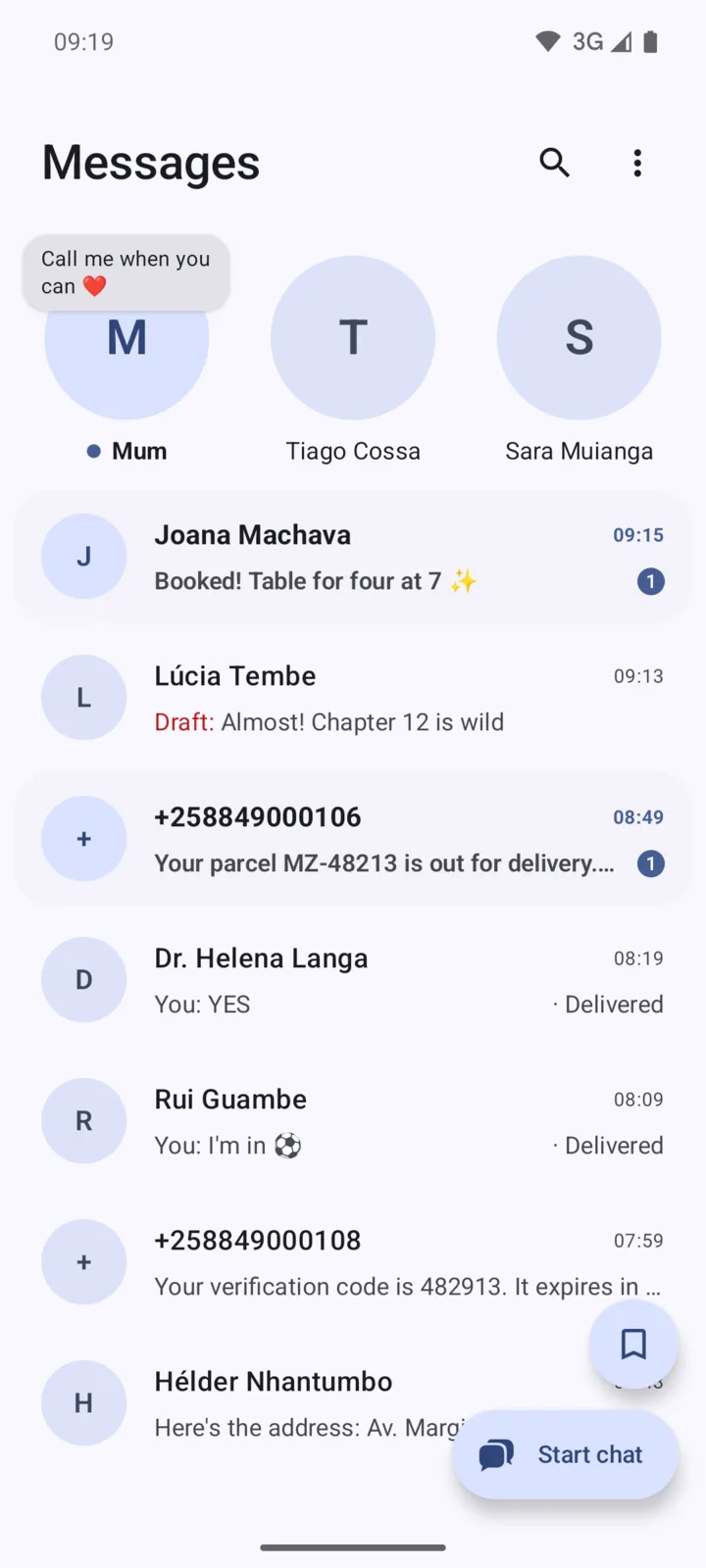
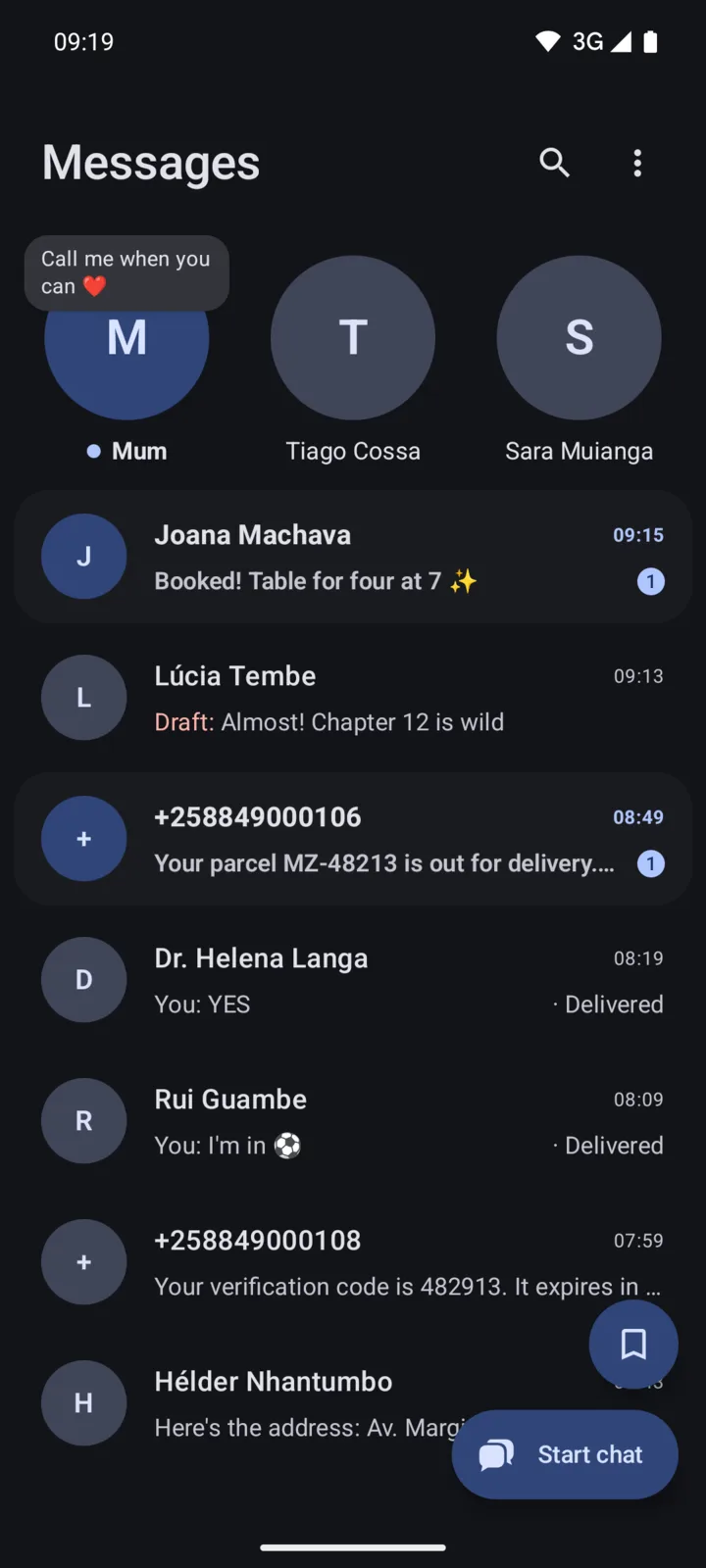
Pin your favourite chats as circles at the top, where a new message pops up above them. Unread chats stand out, and an unsent draft waits in red.
 02
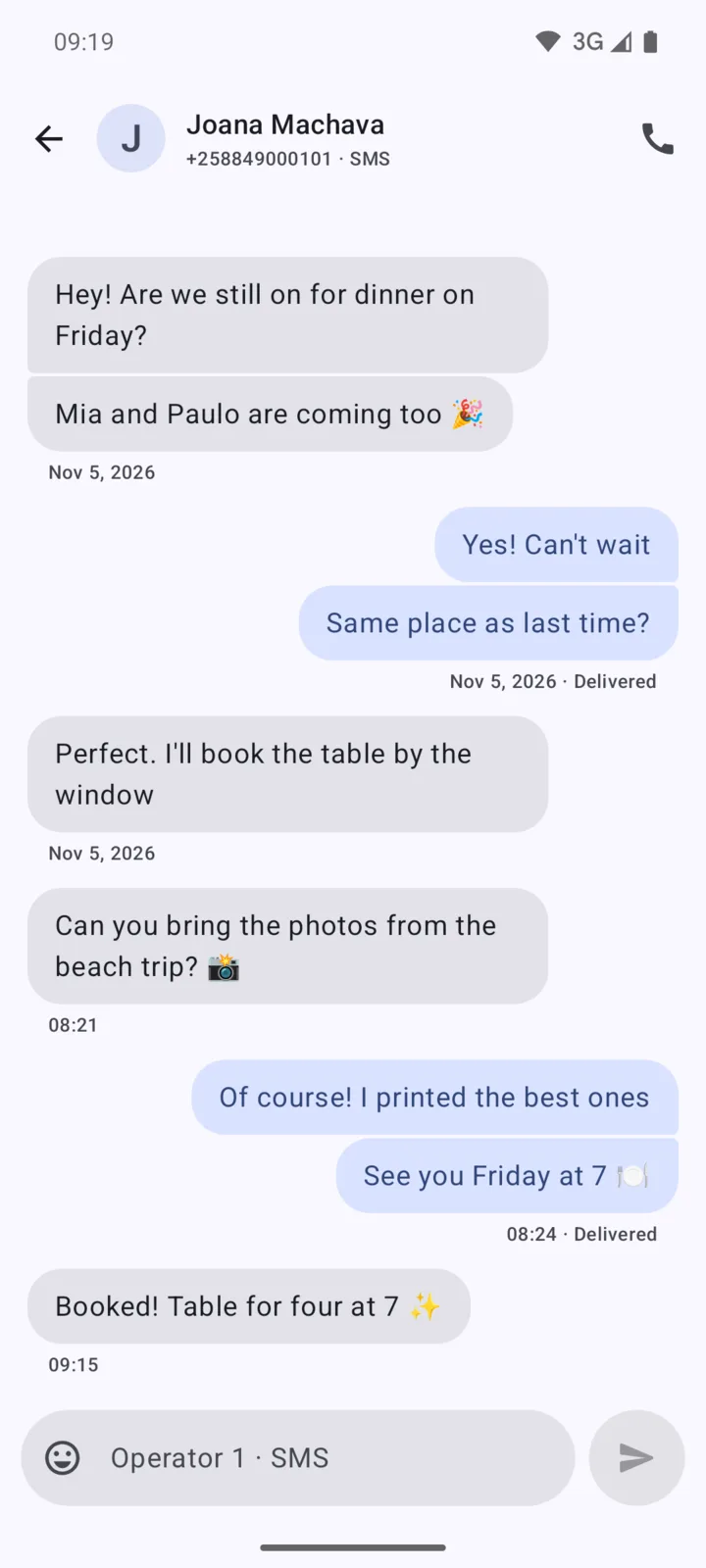
Messages from the same side group together, with the time and status under each group: Sending, Sent, Delivered or Not sent. Tap one that failed to send it again.
 03
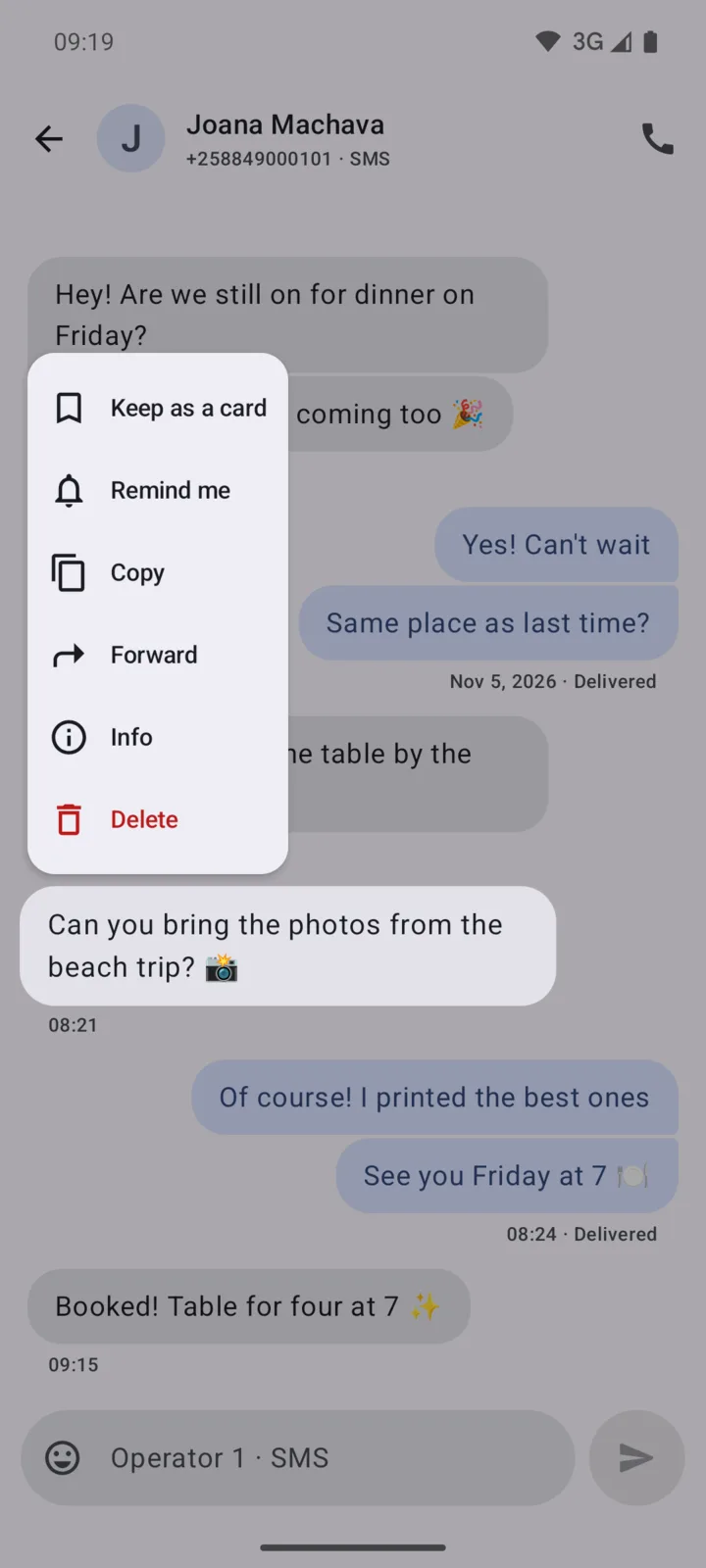
Hold a message to keep it as a card, get a reminder about it later, copy, forward, see its details or delete just that one. The menu grows right out of the bubble.
 04
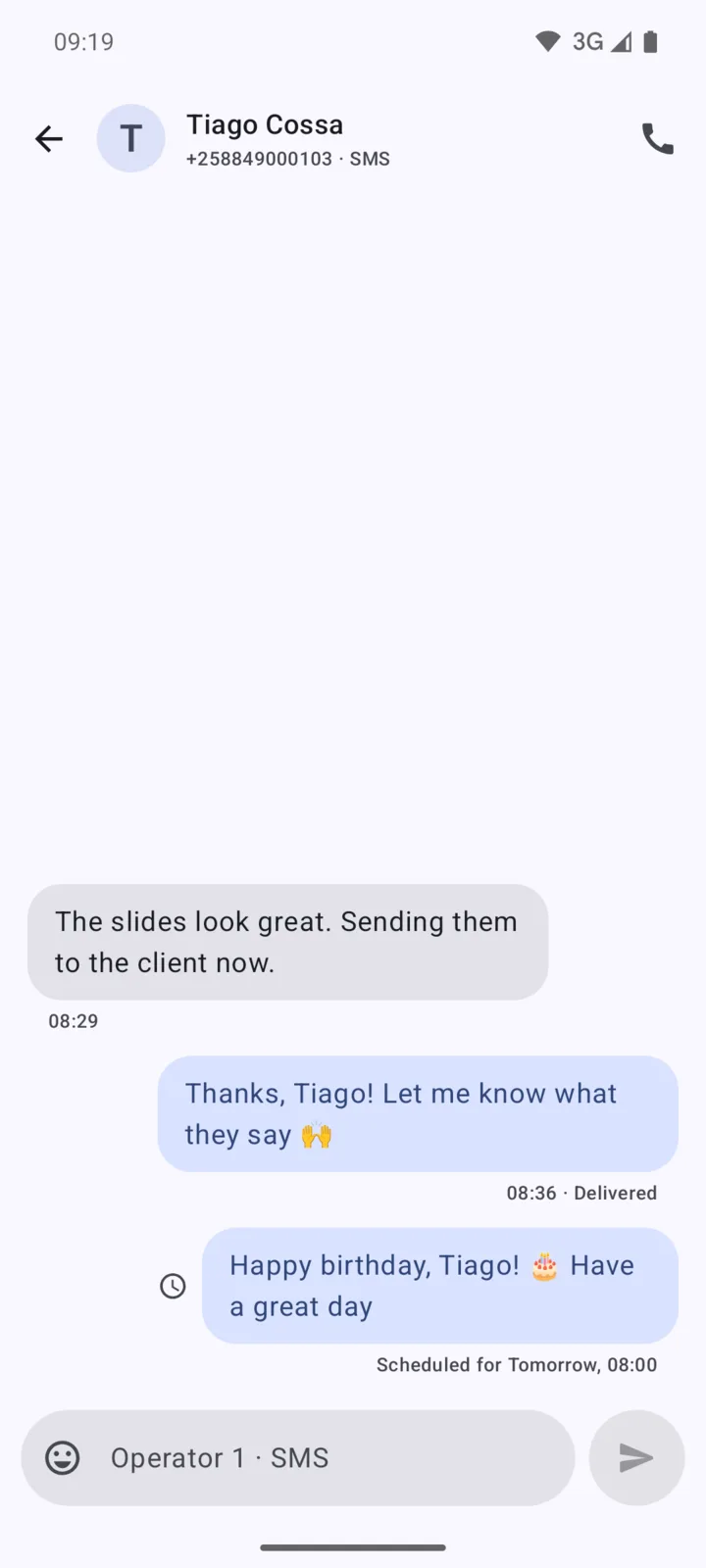
Hold Send to pick tomorrow morning or any date and time. The message waits in the chat, where you can send it now, edit it or delete it.
 05
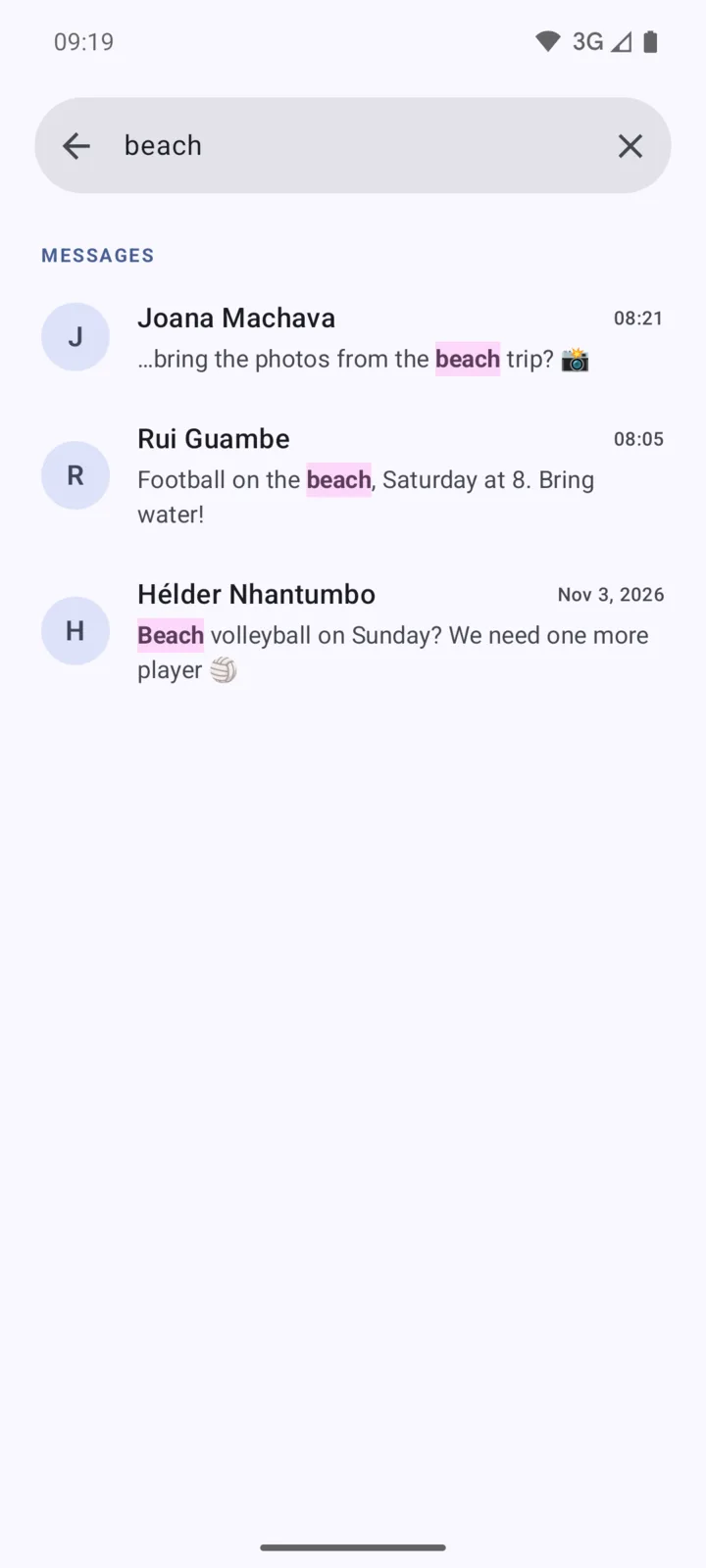
Search names, numbers and the words inside every message. Each match is highlighted, and a tap opens the chat right at that message.
 06
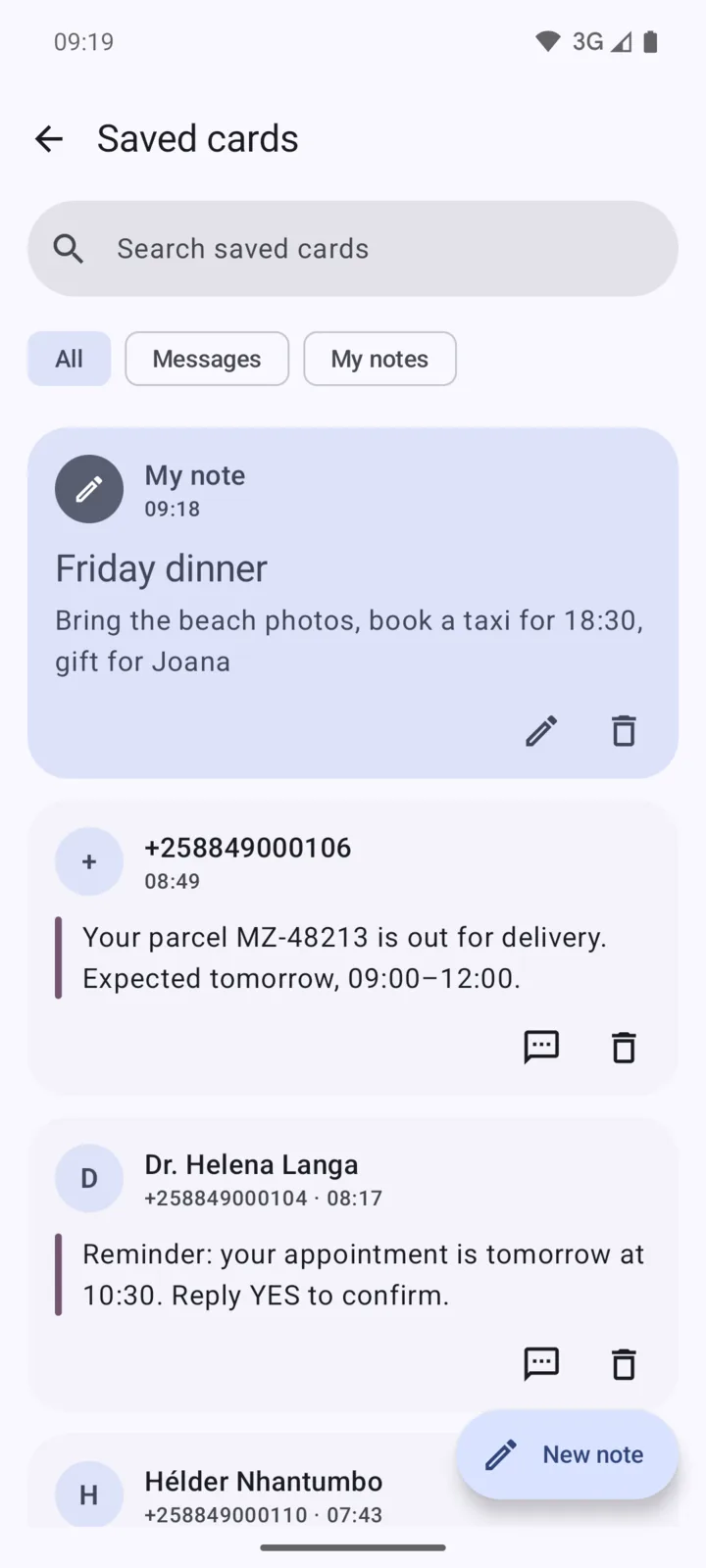
Keep an address, a code or a reminder as a card without leaving the chat, and write notes of your own. Cards are encrypted and stay even if the SMS is deleted.
Small things, done right
The message field names the SIM that will send. Hold it to switch SIM for that chat.
Sending, Sent, then Delivered when your carrier confirms it. Delivery reports are one switch in Settings.
Close the app or restart your phone. Your unsent text is still there, encrypted.
Notifications show who wrote, with their photo, and let you answer without opening the app.
New messages show up in Android Auto, so you can listen and reply while you drive.
English, Português, Español, Français and Afrikaans.
Pick the message text size, and the layout grows with your phone's font size.
Block a number with a long press. Its chats leave your inbox for their own folder.
Light and dark
Automatic, light or dark. Messages follows your phone, or the theme you pick in Settings.
Messages Plus
An optional subscription you can start in Settings. Everything else on this page is free.
Move private chats into a hidden, encrypted space that only your secret code opens. Screenshots and the recent-apps preview are blocked while it is open.
Five more colours, your wallpaper's colours (Android 12+) and pure black for dark mode.
Seven more icons for your home screen, on Android 8 and newer.
A colour, a gradient or one of your photos behind each chat. The text stays easy to read on all of them.
Balloons for a birthday, confetti for good news, fireworks at New Year and hearts for love. Messages notices the moment in all five of its languages, and the SMS itself goes as plain text.
Privacy
Your texts stay in Android's own SMS storage. There is nothing to sign up for and nothing uploaded.
Drafts, saved cards and locked chats are encrypted on your phone.
Usage statistics never include message text, numbers, contact names or searches. You can switch them off in Settings, under About.
FAQ
Yes, Messages is free. Chat lock, themes, app icons, chat backgrounds and screen effects come with Messages Plus, an optional subscription.
Yes. Messages reads the texts already on your phone. Make it your default SMS app and they are all there.
Not yet. Messages is for SMS. When an MMS arrives you see a notice, but its pictures are not downloaded.
Phones with Android 7.0 or newer.
Yes. The message field names the SIM that will send, each group of messages shows the SIM it used, and you can switch SIM for each chat.
Your carrier confirmed that the SMS reached the other phone. Turn on Delivery reports in Settings, under Chats. Not every carrier sends them, and SMS has no read receipts.